
5.1 KiB
Nextcloud pour YunoHost



Ce package vous permet d'installer Nextcloud rapidement et simplement sur un serveur Yunohost.
Si vous n'avez pas YunoHost, regardez ici pour savoir comment l'installer et en profiter.
Vue d'ensemble
Nextcloud vous donne la liberté et le contrôle sur vos données. Un nuage personnel qui tourne sur votre serveur. Avec NextCloud vous pouvez synchroniser vos fichiers sur vos appareils.
Version incluse : 18.0.4
Captures d'écran
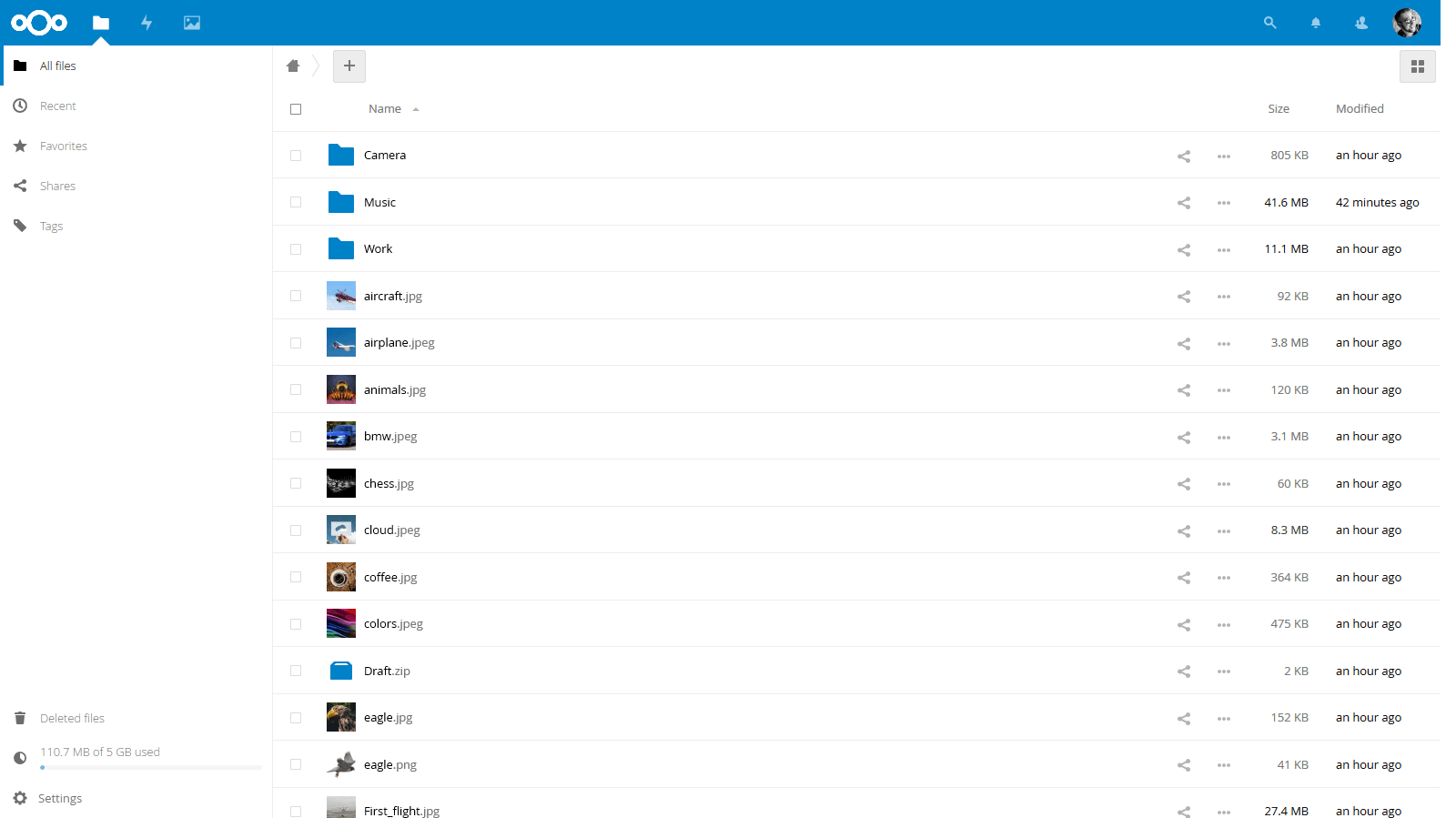
Démo
Configuration
Documentation
- Documentation officielle : https://docs.nextcloud.com/server/18/user_manual/
- Documentation YunoHost : https://github.com/YunoHost/doc/blob/master/app_nextcloud_fr.md
Caractéristiques spécifiques YunoHost
En plus des fonctionnalités principales de Nextcloud, les fonctionnalités suivantes sont incluses dans ce package :
- Intégration avec les utilisateurs YunoHost et le SSO - exemple, le bouton de déconnexion
- Permet à un utilisateur d'être l'administrateur (choisi à l'installation)
- Permet de multiples instances de cette application
- Accès optionnel au répertoire home depuis les fichiers Nextcloud (à activer à l'installation, le partage étant activé par défaut)
- Utilise le répertoire
/.well-knownpour la synchronisation CalDAV et CardDAV du domaine si aucun autre service ne l'utilise déjà - exemple, baikal
Support multi-utilisateurs
Architectures supportées
- x86-64b -

- ARMv8-A -

Limitations
Pour intégrer le bouton de déconnexion du SSO, nous devons patcher les sources de Nextcloud. En attendant un intégration de leur part, la vérification d'intégrité du code source est désactivée pour ne pas avoir de message d'avertissement.
Donc notez que nous avons choisi de désactiver la applications de tierces-parties lors des mises à jour. Ça permet d'éviter une installation de Nextcloud instable - ou qui pourrait planter. Vous devrez juste les réactiver manuellement après chaque mise à jour.
Et enfin, le message d'erreur suivant dans les logs de Nextcloud peut être ignoré sans problème :
Following symlinks is not allowed ('/home/yunohost.multimedia/user/Share' -> '/home/yunohost.multimedia/share/' not inside '/home/yunohost.multimedia/user/')
Informations supplémentaires
Migrer depuis ownCloud
La migration n'est pas encore considérée comme stable, merci de la faire prudemment et uniquement pour tester !
//fin de trad -------------------------------------------------------------------------------------
This package handle the migration from ownCloud to Nextcloud. For that, your ownCloud application must be up-to-date in YunoHost.
You will then have to upgrade your ownCloud application with this repository. This can only be done from the command-line interface - e.g. through SSH. Once you're connected, you simply have to execute the following:
sudo yunohost app upgrade -u https://github.com/YunoHost-Apps/nextcloud_ynh owncloud --debug
The --debug option will let you see the full output. If you encounter any
issue, please paste it.
Note that a cron job will be executed at some time after the end of this command. You must wait that before doing any other application operations! You should see that Nextcloud is installed after that.
Note that it does not change the application label nor the URL. To rename
the label, you can execute the following - replace Nextcloud with whatever
you want:
sudo yunohost app setting nextcloud label -v "Nextcloud"
sudo yunohost app ssowatconf
Links
- Report a bug: https://github.com/YunoHost-Apps/nextcloud_ynh/issues
- Nextcloud website: https://nextcloud.com/
- Nextcloud repository: https://github.com/nextcloud/server
- YunoHost website: https://yunohost.org/
Developers infos
Please do your pull request to the testing branch.
To try the testing branch, please proceed like that.
sudo yunohost app install https://github.com/YunoHost-Apps/nextcloud_ynh/tree/testing --debug
or
sudo yunohost app upgrade nextcloud -u https://github.com/YunoHost-Apps/nextcloud_ynh/tree/testing --debug